
How to Log In and Manage Your Deriv Account
🔐 Learn how to easily access and manage your Deriv account in Kenya. Secure login tips, password help, mobile access, and account troubleshooting made simple.
Edited By
Isabella Turner
Logging into your Deriv account should be a straightforward task, but even experienced traders sometimes hit a snag. This section explains the basic steps to access your Deriv trading platform safely and efficiently, especially for those based in Kenya. We'll also flag common hiccups and security pointers to keep in mind.
Visit the Official Website or Use the App: Open your browser and navigate to the Deriv homepage, or launch the Deriv app on your mobile device. Make sure you're on the genuine site to avoid phishing risks.
Enter Your Credentials: Use your registered email or phone number and your password. If you signed up with social media or third-party services, select the corresponding login option.
Two-Factor Authentication (2FA): If you have enabled 2FA, prepare your authenticator app or SMS code to complete login. This adds a vital layer of protection.
Access Your Dashboard: Once logged in, you will see your trading dashboard where you can review your account balance, open trades, and market updates.
Wrong Passwords or Forgotten Credentials: Use the password reset feature by providing your registered email. Avoid too many attempts to prevent account lockout.
Internet Connectivity Problems: Many parts of Kenya face unstable internet, which can interrupt login. Trying a different network, such as a stronger data bundle or Wi-Fi, often helps.
Blocked Accounts: Multiple failed login attempts may temporarily suspend your access. Contact Deriv support promptly if this happens.
Regional Restrictions or Verification Delays: In rare cases, your account may require extra verification documents due to regulatory requirements affecting Kenyan traders.
Always confirm using the official Deriv channels before submitting sensitive information.
Enable two-factor authentication for a safer login experience.
Avoid using public Wi-Fi when accessing your account to reduce the risk of data theft.
Regularly update your password and choose a mix of letters, numbers, and symbols.
Be cautious of emails or messages claiming to be from Deriv; scammers often mimic official communications.
Getting logged in to your Deriv account is your first step towards participating in online trading markets confidently. This guide prepares you well so you can avoid common pitfalls and secure your profile right from the start.
Starting your Deriv account login journey properly is essential for any trader or investor looking to make quick and secure transactions. This initial step sets the tone for smooth access to your trading dashboard and financial tools. If you miss the basics like choosing strong credentials or logging in through the right platforms, you might face delays or security issues that could easily be avoided.
Using a strong password is more than just ticking a box; it protects your funds and personal data from unauthorised access. Aim for a password that combines uppercase, lowercase letters, numbers, and symbols. For example, instead of "Deriv123", opt for something like "Dr1v!Ken2024". Avoid common terms such as your name, birthdate, or simple patterns like "123456".
Remember, hackers often use basic guesswork to crack weak passwords. Changing your password regularly and avoiding reuse across multiple platforms can add extra layers of safety. If you keep it simple, you risk exposing your account to fraud or lost investments.
Your registered email or username acts as your primary identity on Deriv. Always ensure that you log in with the exact email or username you used during account creation. For example, if your email has a dot or a number, it must be included precisely, as incorrect inputs will block access.
Kenyan users also benefit by linking their official email addresses rather than temporary or shared mails, which might hinder password recovery options. Have your email checked for verification messages regularly, as some important updates or alerts appear there.
It's crucial to use the official Deriv website when logging in to avoid phishing scams. Always type the URL directly into your browser or use a trusted bookmark. Phony sites often look similar but are designed to steal login details.
For Kenyans, browsing on Safaricom or Airtel with stable internet helps keep your session secure. Also, avoid using public Wi-Fi spots, like cafés or matatu stages, when accessing sensitive accounts unless you have a reliable VPN service.
The Deriv mobile app offers convenience for traders who prefer managing their accounts on the go. It supports biometric options such as fingerprint or face recognition, reducing the hassle of typing long passwords every time.
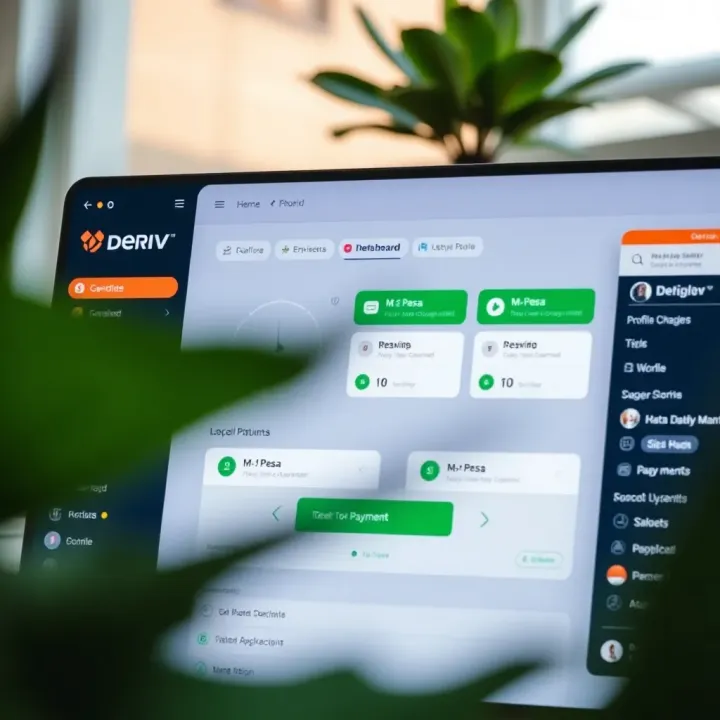
This is particularly handy for Kenyan traders who are often on the move or have limited access to desktops. Plus, the app has optimised data use, which can save on browsing costs. Always download the app from official app stores to avoid malware risks.
Always prioritise secure methods when logging in to protect your assets and trade confidently. A small precaution in the beginning prevents major headaches later on.
Logging into your Deriv account should be straightforward, but some users often face challenges that interrupt the process. Understanding common login problems and their solutions is essential to avoid downtime, especially for traders who need instant access to the platform for timely decisions. This section breaks down frequent issues Kenyan users encounter during login and offers practical tips to resolve them efficiently.
Forgotten passwords are the most common hurdle when accessing any trading account, including Deriv. To reset your password, go to the login page and click on the "Forgot Password" link. You will need to provide your registered email address to receive a password reset link. Follow the instructions in the email carefully to set a new, strong password. Remember to choose a password that's hard to guess but easy for you to remember, combining letters, numbers, and special characters.
If you've forgotten your username, Deriv allows retrieval by using your registered email address. On the login page, select the option to recover your username, enter your email, and the platform will send you your registered username information. This feature helps avoid confusion especially if you have multiple online accounts or if you originally signed up with a different username than your email.
Many login errors occur due to outdated or overloaded browser data. Clearing your browser's cache and cookies removes stored files that may cause conflicts with the platform's updated security features. For example, if you last logged in weeks ago, stale cache can interfere with the new login session. You can clear this data from your browser's settings under privacy or history sections.
Deriv works best on modern browsers like Google Chrome, Mozilla Firefox, and Microsoft Edge. Using unsupported browsers often leads to interface glitches or failed login attempts. Always make sure your browser is up to date to access all features smoothly. For instance, using mobile browsers like Safari on outdated iOS versions may cause delays or errors during login.
Internet connection stability is another factor affecting login. A weak or intermittent connection may not complete the login requests, causing timeout errors. Also, check for network restrictions; some workplaces or public networks may block access to trading sites, including Deriv. When this happens, switching to a mobile data connection or a different Wi-Fi network can make a difference.
Paying close attention to the above factors can save you hours of frustration and ensure you don’t miss critical market opportunities due to access issues.
By following these practical steps on password recovery, username retrieval, browser management, and connectivity checks, you can maintain smooth access to your Deriv account. This readiness is crucial for traders dealing with live markets where split-second decisions matter.
Protecting your Deriv account goes beyond just setting a strong password. After logging in, it’s vital to take active steps to guard your account against unauthorised access and keep your trading and personal data safe. This is particularly relevant since Deriv accounts often involve sensitive financial transactions and access to real money.
Taking security seriously reduces risks such as hacking, identity theft, and fraud. Kenyan traders, especially those using online platforms regularly, should consider account security as a continuous commitment rather than a one-time setup.
Two-factor authentication (2FA) adds an extra layer of protection by requiring a second form of verification when you log in. To set up 2FA on your Deriv account, start by navigating to the security settings after logging in. You’ll typically be prompted to link your account with an authenticator app like Google Authenticator or Microsoft Authenticator. Once linked, each login will require you to enter a unique 6-digit code generated by the app, in addition to your password.
This setup process usually takes less than five minutes and provides practical peace of mind. In case your password is compromised, the attacker still cannot access your account without the second factor, which is usually on your phone.
Benefits of two-factor authentication include substantially reducing the chance of unauthorised logins. Since 2FA codes change every 30 seconds or so and are tied to your device, it’s harder for criminals to break in, even if they steal your password. For Kenyan traders who often use public Wi-Fi or shared computers, 2FA is particularly crucial to prevent hacking attempts.
Beyond improved security, enabling 2FA helps comply with recommended financial industry standards and can deter attacks aimed at draining your account funds. It’s a simple step that makes a big difference.
Monitoring your login history allows you to track when and where your account has been accessed. Within your Deriv dashboard, you can view recent login sessions, including dates, times, and IP addresses. Regular checks help identify any suspicious activity, such as logins from unknown locations or devices. Spotting these early can help you react quickly to secure your account.
Setting up alerts for unusual activity is another effective way to stay ahead of potential threats. Deriv allows users to configure notifications for things like new device logins, password changes, or withdrawal requests. These alerts come via email or SMS, ensuring you get immediate warnings if anything out of the ordinary happens.
Regularly reviewing your account activity and activating alerts acts as an early warning system, helping Kenyan traders respond fast if someone tries to access their account improperly.
By combining 2FA with careful monitoring and alert settings, you make your Deriv account significantly harder for fraudsters to exploit. Keeping your account safe is not just about protecting your money but also your trust in the platform.
Taking these simple yet effective steps immediately after login goes a long way in guarding your investments and ensuring smoother trading on Deriv.
Once logged in to your Deriv account, getting familiar with the dashboard and settings is key to managing your trading activities efficiently. The dashboard acts as your command centre where you keep track of your trades, account balance, and personal details. Navigating this area smoothly lets you react quickly to market changes, update your preferences, and stay on top of your account health.
Updating contact details is more than just a formality. It's critical to have accurate email addresses and phone numbers linked to your account, so you don't miss important notifications, like withdrawal confirmations or security alerts. For example, if you change your mobile number but forget to update it, you might not receive the SMS code during two-factor authentication, which can lock you out at an inconvenient time.
In addition, keeping contact info current helps with account recovery if you lose access. This is especially practical in Kenya, where frequent SIM swaps and mobile number changes happen. Logging into your profile settings to edit your phone and email details takes just a few clicks but saves a lot of hassle down the road.
Setting preferences for notifications allows you to control which alerts you get and how often. Deriv offers updates on price movements, trade confirmations, deposit statuses, and security notices. By tailoring these preferences, you avoid unnecessary noise while still staying informed about the most important activities.
For instance, if you are an active trader keeping tabs on several assets, receiving timely price alerts via email or app notifications can impact your decisions. Conversely, setting quiet hours or limiting alerts during less active periods helps you focus and prevents notification fatigue.
Accessing your trading platform is straightforward through the Deriv dashboard. Once logged in, the main tabs give quick entry into different trading options — whether it’s forex, synthetic indices, or commodities. The platform’s interface is designed to display real-time charts and execution buttons, enabling swift action when opportunities arise.
This organisation means you don’t waste time hunting for your preferred market. Plus, switching between demo and live accounts is done seamlessly within these tabs, allowing both beginners and seasoned traders to practice or execute without confusion.
Reviewing account balance and transaction history is crucial for good money management. Within your account tab, you see your current balance, open position values, and reserved margin at a glance. This transparency keeps you aware of your available funds for trading or withdrawal.
Moreover, the transaction history lists all deposits, withdrawals, and bonuses, complete with time stamps. Kenyan traders benefit by comparing deposit times against their M-Pesa or bank records, ensuring transactions have cleared properly. Keeping an eye on this history safeguards against discrepancies and helps during tax or audit preparations.
Regularly checking your Deriv dashboard and settings ensures your trading stays smooth and secure. It gives you the tools to adapt to market shifts, protects you from surprises, and helps you manage your resources wisely.
For Kenyan traders, linking local payment methods like M-Pesa to your Deriv account makes funding and withdrawing much more practical. These options tap into familiar platforms already trusted by millions locally, helping you avoid delays or costly currency conversions typical with international payment channels. Using Kenyan methods simplifies your trading experience, allowing quick, reliable transactions in shillings.
Funding your Deriv account via M-Pesa involves straightforward steps. First, ensure your M-Pesa account is active and has enough balance. Then, from the Deriv payment section, select M-Pesa or other supported local options. Input your phone number and the desired deposit amount in Kenyan shillings. A payment prompt will be sent through the M-Pesa app, where you confirm the transfer. This method avoids bank charges often associated with direct bank transfers and offers near-instant credit to your Deriv account.
When withdrawing profits, using local channels maintains convenience. After making gains from trading, you can request withdrawal through the Deriv platform to your linked M-Pesa account. Withdrawals usually reflect in your mobile money wallet within 24 hours, sometimes faster, depending on the day and network traffic. This local withdrawal option ensures you can access your funds quickly for everyday needs like transport fare, groceries, or topping up airtime without extra fuss.
Deposit and withdrawal times vary but generally, M-Pesa transactions linked to Deriv process within minutes for deposits. Withdrawals may take longer—typically 1 to 24 hours. Timing depends on factors such as the day (weekends or public holidays may slow processing) and network reliability. Unlike bank transfers which can take several working days, local payment methods like M-Pesa streamline funds flow, reducing time traders wait before accessing or deploying capital.
Regarding charges, M-Pesa transactions attract standard Safaricom fees as regulated by the Communications Authority of Kenya. These fees depend on the amount transacted and are usually deducted by Safaricom during the transfer. Deriv itself may or may not add fees depending on the specific transaction or account status. Understanding these costs helps you plan your trades and withdrawals better, avoiding surprises in net amounts. For example, smaller deposits may attract proportionally higher fees, so bundling funds in fewer, larger deposits can be more cost-effective.
Staying informed about how local payment options work with your Deriv account empowers you to manage funds effectively and keep trading smoothly within Kenya’s financial ecosystem.
Using M-Pesa and other local methods leverages Kenya’s robust mobile money system, letting you concentrate on trading strategies rather than payment hurdles. This approach is particularly handy for investors outside major cities, where banking infrastructure may lag but mobile money usage thrives.
🔐 Learn how to easily access and manage your Deriv account in Kenya. Secure login tips, password help, mobile access, and account troubleshooting made simple.
🔐 Learn how to log in to your Deriv real account easily in Kenya. Get tips on solving common issues and keeping your trading account secure.
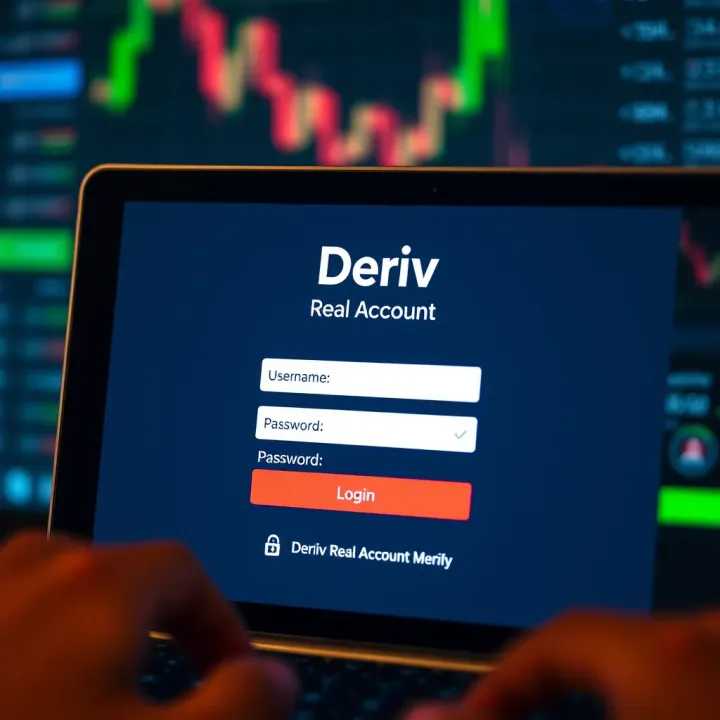
🔐 Step-by-step guide for Kenyan traders to log into Deriv real accounts. Learn tips, fix common issues, and keep your trading experience secure and smooth.
📈 Step-by-step guide for Kenyan traders to register on Deriv, covering sign-up, verification, account types, funding options, and tips for smooth setup.
Based on 13 reviews