

Understanding dBot: Features and Uses
Explore dBot's key features, setup guides, security tips 🔒, and platform integration to get the most from this powerful tool in your daily tasks 📲.
Edited By
Clara Hughes
Managing funds efficiently is a key part of successful trading and investing, especially in fast-moving markets. For Deriv users in Kenya, the Deriv Cashier simplifies the way deposits and withdrawals are handled, making it easier to focus on strategies instead of payment hassle.
This section provides a clear overview of what Deriv Cashier is, why it matters for Kenyan traders, and the specific features and security measures that set it apart. You'll get a sense of how this platform feature supports smooth financial transactions while protecting your funds.
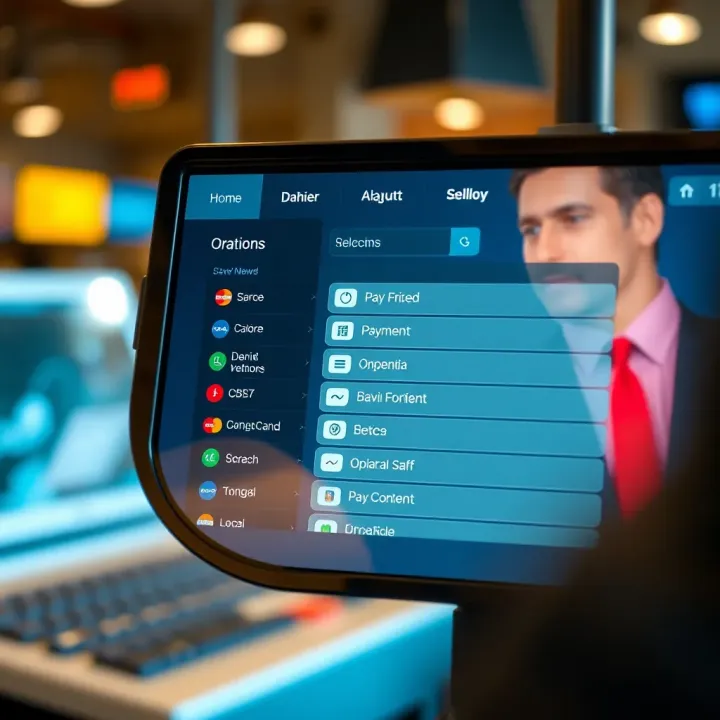
Whether you’re a seasoned broker or a fintech professional, understanding Deriv Cashier helps you manage your money smartly and with confidence in a global trading environment. We’ll walk through the essentials before diving into the details in later sections.
"A seamless payment system isn’t just about speed — it’s about trust, transparency, and control over your funds."
Let’s get started by unpacking the basics and the benefits of using Deriv Cashier in Kenya’s trading landscape.
Understanding how Deriv Cashier operates is essential for anyone actively involved in trading or investing on the Deriv platform. The cashier functions as the financial gateway—it handles all your deposits and withdrawals, enabling smooth money flow in and out of your account. Without a clear grasp of what the cashier does, traders might find themselves stuck in a maze when managing funds.
Think of the cashier like the teller at your local bank, but online and tailored for trading. It not only manages your funds but also secures and tracks each transaction meticulously. For example, Kenyan users benefit significantly because the cashier supports local payment methods and currencies, which simplifies the deposit and withdrawal process.
The cashier's primary role on Deriv is to facilitate quick, secure, and transparent financial transactions for users. Whether you want to top up your trading account or withdraw profits, the cashier acts as the central hub for these actions. It's designed to minimize delays and issues that can hamper trading activity.
Moreover, the cashier isn't just a simple payment tool. It verifies payments, applies necessary currency conversions, and stores transaction histories to help users keep track of their financial activities. For instance, if a trader deposits Kenyan Shillings (KES), the cashier handles the conversion and ensures the amount reflects correctly in the trading account.
Using Deriv Cashier is straightforward, but not everyone automatically has access. The platform generally restricts the cashier to registered Deriv account holders who have completed the necessary verification steps. This measure is in place to comply with financial regulations and protect users.
Primarily, traders, investors, and financial professionals who have active accounts on Deriv can use the cashier. New users must complete their KYC (Know Your Customer) process, which includes identity verification, before they can start depositing or withdrawing funds. This process helps keep transactions safe and aligned with Kenyan regulations.
By understanding who can use the cashier and why it exists, users can confidently manage their finances within Deriv, making their trading experience smoother and more secure.
Understanding how to access and navigate Deriv Cashier is essential for anyone who wants to manage their trading funds smoothly. This section sheds light on the practical steps needed to reach the Cashier interface and highlights key features that make the process straightforward. Being familiar with this part of the platform can save time and prevent common mistakes related to payments and withdrawals.
Getting started with the Deriv Cashier is simpler than many expect once you know the routine. First, log into your Deriv trading account using your username and password. From there, head straight to the main dashboard, where you’ll find a clearly labeled "Cashier" option, usually located on the top menu or sidebar.
Clicking on "Cashier" launches the financial hub of the platform. It’s worth noting that if you haven’t fully verified your account, some features might be limited or locked to uphold compliance standards. This means ensuring your ID documents and proof of address are up to date can smooth out your experience and reduce delays.
For example, a trader in Nairobi wanting to deposit funds via mobile money (like M-Pesa) must first access the Cashier, then select the deposit method, enter the amount, and follow the prompts to complete the transaction. The process is designed to be user-friendly, even for those not too tech-savvy.
Always double-check that you are logged into the official Deriv site to avoid phishing scams.
The Deriv Cashier interface is built to be intuitive and user-friendly, with clear sections for deposits, withdrawals, and transaction history. On the dashboard, you'll immediately see options to add funds, withdraw earnings, or view past transactions. Each part is organized logically to minimize confusion.
One handy feature is the quick access to commonly used payment methods. If you often deposit through Airtel Money or bank wire, the system remembers your preferences, speeding up repetitive actions. Plus, visual cues like progress bars and status updates keep you informed on your transaction's stage.
It’s also equipped with helpful tools such as currency selectors and limit indicators. For instance, if you try to withdraw more than your account balance or exceed daily limits, the Cashier will alert you before you proceed, avoiding unnecessary hassle.
All told, the navigation experience is pretty straightforward: minimalist menus, clear call-to-actions, and a design that helps users move through financial steps without second-guessing. For a Kenyan user trading in shillings, this efficiency becomes a real advantage, allowing focus on trading rather than wrestling with the payment system.
In this way, mastering access and navigation of the Deriv Cashier paves the way for smoother financial management within the trading environment.
When it comes to managing funds on the Deriv platform, knowing the payment methods supported by Deriv Cashier makes all the difference. It's not just about moving money in and out; it's about doing it swiftly, securely, and in a way that fits your needs. This section takes a closer look at the practical side of those payment options, especially for users in Kenya.
Deriv Cashier offers a variety of deposit methods tailored for Kenyan traders. For instance, M-Pesa, Kenya's widely popular mobile payment system, is fully supported. It allows users to fund their accounts directly from their mobile wallets, a huge plus for those who don't want to fuss with bank transfers. Then, you've got options like Airtel Money and bank cards such as Visa and Mastercard, which are fairly straightforward and widely accepted.
Using M-Pesa, for example, means you can deposit funds instantly without stepping foot in a bank or waiting in long queues. Suppose you’re a trader who needs quick access to funds before making a move; this method works well. However, it’s good to remember the deposit limits and any small transaction fees charged by the service provider.
Cashing out through Deriv Cashier is designed to be as painless as possible. Kenyan users can withdraw their earnings back to M-Pesa wallets or use bank transfers for larger sums. M-Pesa withdrawals usually reflect within a few hours, providing fast access to your funds, while bank transfers might take a bit longer but support higher amounts.
For traders who prefer digital wallets, services like Skrill or Neteller are also available. These e-wallets can be handy if you operate in multiple currencies or trade internationally. Keep in mind, each withdrawal method may carry its own processing time and fees, so it's wise to choose the one that fits your timeline and budget best.
Deriv Cashier implements specific deposit and withdrawal limits that users should be aware of to avoid surprises. For deposits via M-Pesa, there could be a daily cap depending on your account verification status. For example, unverified accounts may face lower limits compared to verified ones.
Processing times vary: deposits via mobile money tend to be instant or take just a few minutes, while bank transfers might need up to 2-3 business days. Withdrawals reflect similarly, with M-Pesa leading the pack in speed. Being aware of these timelines helps planners avoid last-minute hiccups, especially if you’re juggling multiple trades or financial obligations.
Remember, confirming your account verification status can loosen deposit and withdrawal limits, giving you more flexibility.
Understanding these payment methods and limits ensures you’re not caught off-guard when funding your trading activities or cashing out profits. Choosing the right method can save time and fees, making your experience smoother and more efficient.

Understanding the supported currencies and how currency conversion works is essential for anyone using Deriv Cashier, especially traders in Kenya. Since financial transactions on the platform involve real money, the ability to deal in multiple currencies helps users avoid unnecessary fees and delays. It also ensures smoother deposits and withdrawals, making your trading experience much less stressful.
When you use Deriv Cashier, it’s important to know which currencies you can work with directly and when conversions come into play. This knowledge helps you plan your trades and money transfers more efficiently. Kenya’s currency, the Kenyan Shilling (KES), is supported, but Deriv also lets users handle several other major currencies. This variety benefits users who might be trading international assets or using wallets and banks in different countries.
Kenyan traders will appreciate that Deriv Cashier supports deposits and withdrawals directly in Kenyan Shillings. This cuts down on the hassle of changing currency at a third party, avoiding exchange rate fluctuations that can eat into your profits. For example, if you deposit 10,000 KES, you can be confident that amount will show up without unexpected deductions.
But Deriv doesn’t stop there. The platform also accepts popular global currencies like USD, EUR, GBP, and AUD. Let’s say you have a USD wallet or a UK bank account; you can deposit and trade using those currencies too. This flexibility is especially handy if you deal in currencies other than the Kenyan Shilling or if your funding source uses a different currency.
By supporting multiple currencies, Deriv Cashier allows traders to choose the currency that best suits their needs, balancing convenience and minimizing conversion costs.
Deriv Cashier handles conversion when you fund your account in a different currency than your trading account’s base currency. The platform uses up-to-date exchange rates, which are generally competitive compared to standard rates you’d find at a bank or currency exchange.
Here’s a practical example: suppose your trading account is set to USD, but you want to deposit using Kenyan Shillings. Deriv will convert your KES deposit to USD at their current rate. While this service is convenient, a small conversion fee applies — usually a fixed percentage of the amount converted. The exact fee depends on your deposit method and currency pair.
If you prefer to avoid conversion fees, one strategy is to hold your Deriv account in the currency you most often fund or withdraw. For Kenyan users mainly dealing in KES, setting your account currency to Kenyan Shillings makes a lot of sense.
To sum up, Deriv Cashier offers broad currency support combined with transparent conversion processes and fees. Knowing these details lets you manage your funds better, save on unnecessary costs, and focus more on your trading activities without worrying about hidden exchange expenses.
Security sits at the heart of any financial platform, and Deriv Cashier is no exception. Its security controls aren’t just window dressing; they play a crucial role in keeping your money and personal info safe. Without solid protections, users might hesitate to deposit funds or trade confidently. In this section, we'll unpack the specific security measures Deriv Cashier applies to protect users, especially those trading from Kenya where digital fraud is a growing concern.
Deriv Cashier uses encryption protocols to keep your transaction details locked tight from prying eyes. When you perform deposits or withdrawals, your payment info gets encrypted using TLS (Transport Layer Security), the same technology banks rely on. For example, a trader transferring Kenyan Shillings into their account can rest assured the transaction data isn’t visible to third parties or hackers lurking on public Wi-Fi networks.
Beyond encryption, Deriv also isolates its financial data systems from the general user interface, minimizing exposure if the platform faces a cyberattack. They regularly monitor for suspicious behaviors—say, multiple rapid withdrawal attempts or login attempts from unusual locations—to flag and halt potentially fraudulent activity.
The platform complies with regional data protection laws, which means your personal details won’t be mishandled or sold off. Kenyan users should note that Deriv respects local regulation requirements like the Data Protection Act, which reinforces user privacy and data security.
Remember: Sharing your account credentials or payment details outside the platform dramatically increases your risk, no matter how tight the site's security is.
Adding a layer of security, Deriv Cashier offers two-factor authentication (2FA), which is a must for anyone seriously serious about protecting their trading funds. With 2FA enabled, logging in demands not just your password but also a temporary code generated by an app like Google Authenticator or sent via SMS.
Think about it this way: even if a cybercriminal somehow cracks your weak password "deriv123", without that ever-changing 2FA code, they’re still locked out. This reduces risk from common pitfalls such as password reuse or phishing scams.
Users should activate 2FA immediately after registration. To set it up, you can find the feature under your account settings. Once active, every deposit or withdrawal confirmation will push an extra notification requiring your approval, hence minimizing unauthorized transactions.
Sometimes, folks get into trouble because they keep their authentication device unsecured or lose access to it. Deriv’s support team offers a recovery process, but it's slower and involves identity checks—proof that safety is taken seriously and not bypassed easily.
Pro tip: Use an authenticator app instead of SMS codes when possible, since SMS can be intercepted through SIM swapping scams, which have become a headache in Kenya.
In sum, Deriv Cashier’s security framework combines robust encryption with user-oriented tools like 2FA to create a dependable, protected environment for managing your funds. Taking the time to understand and use these features properly dramatically cuts down the chance of financial loss or identity theft.
Keeping track of your financial transactions within the Deriv Cashier tool is more than just bookkeeping—it's about having clear, instant access to your trading funds' flow. Whether withdrawing profits or topping up accounts, knowing how to navigate your transaction history comes in handy for budgeting, verifying payments, and resolving discrepancies without wasting time.
Accessing your past transactions on Deriv Cashier is straightforward yet crucial for maintaining transparency over your account. After logging into your Deriv account, navigate to the Cashier section and find the 'Transaction History' or 'History' tab. Here, the system lists deposits, withdrawals, and any internal transfers chronologically.
You can filter these records by date range or transaction type, making it easy to zero in on that deposit you made last month or a withdrawal you questioned. For example, suppose you notice your account balance seems off after a large withdrawal; checking the transaction history helps confirm if the amount was processed correctly or if a delay is causing the confusion. This feature is especially useful for traders who juggle multiple transactions daily and need a clear snapshot of their financial activity.
Deriv Cashier also allows users to download transaction statements, which is beneficial for record-keeping or submitting evidence when required by brokers or financial auditors. Within the transaction history section, look for an option like 'Download Statement' or 'Export Transactions.' This will often provide you with a CSV or PDF file containing all the details of your transactions over a chosen period.
Saving these statements on your device or cloud storage means you always have backup copies handy, especially for tax reports or audits. For instance, if the Kenyan Revenue Authority requests proof of your trading capital or withdrawal activity, these transaction statements come in handy to avoid any back-and-forth with financial institutions.
Regularly reviewing and saving your transaction history not only safeguards you from errors but also helps in budgeting and financial planning, making it easier to assess your trading performance over time.
By managing your transaction records carefully, you stay a step ahead in protecting your funds and understanding your trading habits through Deriv Cashier. This practice supports quicker troubleshooting and fosters a disciplined trading approach, which professionals in Kenya's financial markets find invaluable.
When navigating any financial platform like Deriv Cashier, running into hiccups is almost inevitable. That's why having a solid grasp of common issues and effective troubleshooting tips is not just helpful—it's essential. In trading or investing, even small delays or errors in your transactions can ripple into bigger problems, like missed opportunities or undue stress. Deriv Cashier users in Kenya, where banking infrastructures and digital payment methods sometimes vary in reliability, can especially benefit from knowing how to spot and solve problems quickly.
By understanding typical problems, from payment failures to interface glitches, you’re better equipped to keep your money moving smoothly and safely. Plus, knowing when to step in and when to reach out for support can save time and frustration.
Payment failures and delays can occur for various reasons on Deriv Cashier, often linked to network issues, payment gateway downtimes, or incorrect payment details. For example, if a Kenyan user tries making a deposit via M-Pesa but enters a wrong phone number, the transaction will fail or get rejected—this is a common slip that’s easy to fix by double-checking details.
Another typical cause is exceeding daily deposit limits set by Deriv or your bank, which blocks transactions until limits reset. In some cases, delays happen when the payment provider undergoes maintenance or faces technical glitches; here, patience is often required but monitoring status updates is helpful.
To tackle these issues:
Confirm payment details carefully before submitting.
Check your account and bank statements for any holds or limits.
Use stable internet connections to avoid dropouts during transactions.
If a delay lasts more than usual processing time (usually a few minutes to a couple of hours), try refreshing your cashier page or logging out and back in.
Where applicable, try alternative payment methods supported by Deriv, such as Skrill or Neteller, which sometimes process faster than traditional bank transfers.
When your troubleshooting efforts don’t cut it, Deriv’s customer support team should be your next stop. Promptly reaching out can prevent minor issues from snowballing into bigger setbacks, especially when dealing with money.
Deriv offers multiple support channels, including live chat during business hours and email support. For users in Kenya, the chat feature often provides quick answers, but it’s good to have your account details and transaction IDs handy when contacting support — it speeds the process.
Here are some practical steps to get the best help:
Be clear and concise: Explain the issue you’re facing, the steps you already tried, and include relevant details such as transaction numbers and timestamps.
Attach screenshots if possible: Visual proof helps support agents pinpoint the problem fast.
Keep records of your communications in case follow-ups are necessary.
Prompt communication with support can save you the headache of unresolved transactions. Good customer service can be a lifesaver, especially when money is involved.
In sum, understanding common issues and how to troubleshoot them, paired with knowing when and how to contact support, puts Kenyan Deriv users in the driver’s seat. It ensures your money flows as smoothly as possible and keeps your trading or investment activities on track.
Getting a grip on the rules behind deposits and withdrawals is more than just a formality—it's about ensuring your money flows smoothly and securely, especially when dealing with platforms like Deriv Cashier. These policies help protect users and the platform from fraud, errors, and misunderstandings while aligning everything with local and international laws.
Keeping things compliant with Kenyan financial regulations is crucial, too. It means Deriv has to toe the line on anti-money laundering laws, know-your-customer requirements, and data protection acts to safeguard your interests.
Before putting money in or taking it out, it’s smart to know the specifics. Deriv Cashier sets clear limits on how much you can deposit or withdraw in one go or over a certain period. For instance, deposits might have a minimum amount to prevent micro transactions that clutter the system, while withdrawals could be capped to manage risk and comply with fiscal policies.
Often, these limits vary by the payment method you choose. For example, using e-wallets like Skrill or Neteller might come with different thresholds compared to bank transfers or mobile money services like M-Pesa, which is popular in Kenya. Understanding how fast these transactions process is key, too—some methods clear instantly, while others could take a couple of days, especially bank transfers.
Here’s a brief rundown:
Minimum and Maximum amounts: Always double-check before initiating transactions to avoid returns or delays.
Verification requirements: Larger withdrawals often need additional steps like identity verification.
Transaction fees: Some payment systems carry fees; others are free. Always check this to avoid surprises.
Knowing these rules upfront means you won’t get stuck mid-transaction or, worse, have your funds tied up unexpectedly.
Kenya's regulatory framework around money movement is quite strict and rightly so, aiming to protect both the financial system and consumers. Deriv, operating as a financial service platform, has to comply with these regulations meticulously.
For example, Kenya’s Central Bank oversees all transactions to prevent money laundering and fraud. Deriv must implement KYC (Know Your Customer) checks where users submit valid ID and proof of address. This might feel like a hassle, but it's necessary for your protection.
Additionally, the Data Protection Act demands that your personal and transaction data are handled securely and with transparency. On top of that, any suspicious activity has to be reported to relevant authorities, which helps keep the financial environment safer.
In practical terms, what does this mean for you?
Your deposits and withdrawals might get momentarily paused for additional checks if flagged.
You need to keep your personal details up to date within Deriv to avoid service disruptions.
Transaction records are maintained and may be scrutinized to stay within the law.
Failing to comply can mean penalties not just for Deriv but can affect your ability to trade or withdraw funds, so these rules aren't just bureaucracy—they’re safety nets.
By understanding the platform's cashier policies alongside Kenyan law, you can navigate your transactions with confidence, knowing you’re supported by a framework designed to protect your interests and money.
Navigating transactions on Deriv Cashier can feel like walking a tightrope if you're not prepared. Knowing a few solid tips ensures your deposits and withdrawals happen without unexpected hiccups. This is especially helpful for Kenyan users where robust and reliable financial transfers are key to keeping trading fluid and stress-free. Let’s break down how to get your account in shape and what to watch out for so you dodge common pitfalls.
Before throwing money in or pulling it out, make sure your account is properly set up. This means verifying your identity fully—Deriv requires proper documentation to comply with regulations, so uploading a clear, valid copy of your ID, proof of address, and any relevant payment proof will save you a ton of headaches later.
Check that your email and phone number linked to the account are current. Deriv often sends confirmations and security alerts via these channels. For example, one Kenyan trader once missed a withdrawal because the phone number was outdated; a quick update saved future troubles.
Also, fund your account using payment methods approved and supported for Kenya, like M-Pesa or Visa, to avoid unsupported transactions. Remember, each method may have its limits and processing times — so keep these in mind when planning your trades or cash-outs.
Mistakes during transactions often boil down to small oversights, which can cause delays or rejection of payments. A classic blunder is mixing payment methods — Deriv usually requires withdrawals to go back through the same channel used for deposits. So, if you used M-Pesa for depositing, stick to it when withdrawing.
Always double-check the currency you select. Using Kenyan Shillings without confirming currency conversion options might cause unexpected fees or slowdowns. When in doubt, choosing USD tends to be smoother due to its wide acceptance, but be aware that currency conversion rates apply.
Before hitting confirm on any transaction, take that extra moment to review the amounts, method, and account details. This small act can prevent tangled situations that take days to untangle.
Lastly, keep an eye on transaction limits and transaction processing times, especially during weekends or holidays, since these might affect when your funds appear. If something seems off or delayed beyond typical times, reach out to Deriv support promptly rather than hoping it’ll sort itself.
Following these tips keeps your financial experience on Deriv Cashier running like clockwork – no nasty surprises, just smooth sailing.
Explore dBot's key features, setup guides, security tips 🔒, and platform integration to get the most from this powerful tool in your daily tasks 📲.

Explore the Deriv API's features and integration steps 🛠️, learn security tips 🔒, and see practical use cases for trading and financial automation 📈.
Explore Deriv Hub's features, benefits, and tools for online trading in Kenya 🇰🇪. Learn about accounts, security, support, and how to start trading today 📈.

Explore Deriv Com's user-friendly interface 🔍, diverse financial instruments 📊, secure accounts 🔒, and advanced trading tools to trade confidently in Kenya.
Based on 9 reviews