
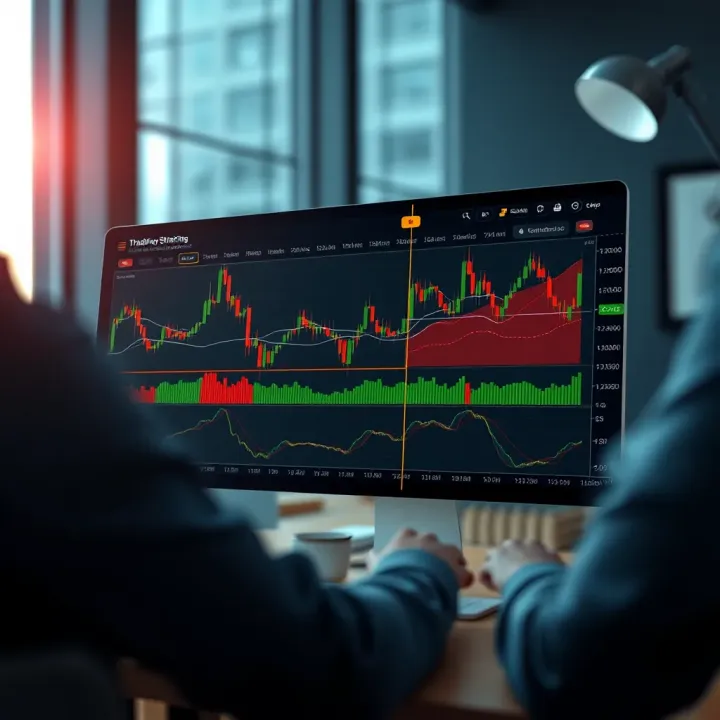
How to Use Deriv with TradingView in Kenya
📈 Discover how Kenyan traders can seamlessly combine Deriv and TradingView for smarter trades. Learn setup tips, strategies, and solutions for smooth trading.
Edited By
Richard Dawson
For Kenyan traders, having accurate, real-time charts is key to making informed decisions. TradingView charts are widely praised for their rich features and interactive tools that help analyse market trends effectively. Integrating these charts into the Deriv platform can level up your trading experience by combining advanced charting with Deriv’s vast trading options.
Deriv, as a popular online trading platform, offers users a straightforward interface and access to a wide range of markets including forex, commodities, stock indices, and cryptocurrencies. On its own, Deriv provides some charting tools, yet TradingView’s charts bring a deeper layer of analysis, such as a variety of technical indicators, drawing tools, and customisable layouts.

TradingView charts on Deriv allow Kenyan traders to do several things:
Monitor market movements in real time with crisp, responsive charts that reduce lag.
Apply complex technical indicators like Bollinger Bands, MACD, RSI, and Ichimoku Clouds to develop strategic entries and exits.
Customise chart views by adjusting timeframes, chart types (candlestick, bar, line), and overlays suited to Kenya’s trading style and market hours.
Access social trading features by viewing ideas and analyses from other experienced traders.
By pairing TradingView’s detailed charting with Deriv’s range of trade instruments, Kenyan traders can sharpen market insights and improve trade timing.
This integration isn’t just about convenience; it can aid in addressing challenges like sudden market volatility caused by global events or local economic reports. For example, when the Central Bank of Kenya announces interest rate changes or inflation data, having quick visualisation through TradingView charts helps you react faster.
The following sections will guide you step-by-step on setting up TradingView within Deriv, tailoring charts for local preferences, and tips to optimise their use for better trading outcomes.
Understanding the core strengths of TradingView and Deriv platforms sets the stage for successful chart integration. Both platforms serve different but complementary roles for traders and investors. TradingView offers advanced charting and analysis tools, while Deriv provides a versatile trading environment covering diverse financial markets. Combining them offers Kenyan traders a powerful toolkit for informed decision-making.
TradingView is renowned for its highly interactive charting capabilities. Its charts allow users to zoom in and out, scroll across different timeframes, and apply a wide range of technical indicators such as moving averages, RSI (Relative Strength Index), and Fibonacci retracements. This interactivity enables traders to closely monitor price action and spot entry or exit points more accurately. For example, a Nairobi-based forex trader can use real-time candlestick patterns combined with Bollinger Bands to identify volatility changes in the USD/KES pair.
Beyond simple indicators, TradingView supports multiple chart types—line, bar, candlestick, Renko, and more—giving traders flexibility to analyse market movements from various angles. This versatility heightens analytical precision crucial for markets like commodities and cryptocurrencies, where price actions can differ widely.
One standout feature on TradingView is its vibrant community of developers who create custom scripts and strategies. These scripts extend standard indicators or combine multiple tools into automated signals. Traders can browse, test, and incorporate these community scripts tailored to their trading style or asset class.
For instance, a trader interested in Kenyan tea prices might use a customised script combining moving averages with volume spikes to time purchases better. Moreover, users can write their own Pine Script code to automate chart annotations or trigger alerts, enhancing personalisation. This openness contrasts with many trading platforms that restrict users to pre-set indicators.
Deriv supports a wide range of financial instruments including forex pairs, commodities like gold and oil, synthetic indices, and cryptocurrencies such as Bitcoin and Ethereum. This variety appeals to Kenyan traders looking to diversify beyond traditional markets. For example, someone in Mombasa might trade both currency pairs tied to global trade flows and synthetic indices that simulate market behaviour 24/7.
By offering both short-term options and longer-term CFDs, Deriv accommodates varied trading horizons. Its platform structure also caters to beginners and experienced players, making it suitable for a large section of Kenya’s trading community.
Although Deriv features built-in charting tools, they often lack the depth and customisation available in TradingView. Built-in charts cover essential technical indicators and display price trends, but may not have advanced drawing tools, community scripts, or multi-chart layouts.
Integrating TradingView charts into Deriv bridges this gap, enabling traders to conduct detailed technical analysis without leaving the Deriv platform. For example, while trading Easter Africa Time markets on Deriv, one can use TradingView's alerts on key price levels to act swiftly. The seamless switch between Deriv trading functions and TradingView charts improves efficiency and helps maintain focus on market moves.
Using TradingView charts alongside Deriv’s operational tools creates a smoother and richer trading experience. It empowers traders to better identify opportunities and reduce guesswork in Kenya's fast-moving financial markets.
Integrating TradingView charts with the Deriv platform provides several practical advantages that can enhance your trading experience. While Deriv offers its own charting tools, combining them with TradingView gives traders access to advanced features and better visualisation. This combination can help you make more informed decisions and improve trading results, especially in Kenya's fast-moving markets.
TradingView gives you access to hundreds of technical indicators that go beyond what Deriv offers by default. For example, some niche momentum oscillators or custom volatility measures found on TradingView can offer insights not visible in Deriv’s simpler charts. Kenyan traders dealing with forex pairs like USD/KES or commodities such as tea and coffee futures can gain an edge by spotting subtle trends early with these advanced tools.

Having more indicators means you can confirm signals across different methods rather than relying on one or two basic ones. This multi-indicator approach reduces false alarms and sharpens your market entries and exits. For instance, pairing a moving average convergence divergence (MACD) with the Relative Strength Index (RSI) from TradingView might highlight overbought or oversold conditions better than Deriv’s standard tools.
TradingView also offers highly customisable chart layouts that help you view data more clearly and adapt to your trading style. You can set up multiple chart windows side-by-side, comparing different assets or timeframes without switching tabs. This comes in handy when monitoring both the NSE 20 Share Index and foreign exchange rates simultaneously.
Besides layout flexibility, TradingView supports advanced chart types like Renko or Kagi, which are not available on Deriv. These charts reduce noise and make trend detection easier. You can also customise colour schemes and candle patterns to suit your preferences, making it simpler to spot support and resistance levels quickly.
One of the key benefits is that TradingView updates charts with live prices and volume data synced to Deriv’s market feeds. Real-time data means you’re seeing the market as it unfolds without delays, essential when trading fast-moving assets like forex or synthetic indices.
Having up-to-date information improves the precision of your entry and exit points. For example, if you’re day trading the KCB share price on NSE or tracking the forex market during Kenya’s trading hours (East Africa Time, EAT), receiving real-time price ticks helps avoid missed opportunities or late reactions.
Access to real-time synchronized data reduces the risk of lag, enabling timely decisions aligned with actual market movements.
TradingView’s platform allows you to open multiple charts and watch different markets at once. This is particularly valuable for Kenyan traders who diversify across forex, commodities, stocks, and indices. You can monitor both the USD/KES forex pair and the Nairobi Securities Exchange simultaneously, switching focus as market conditions change.
Managing several charts side-by-side means you don’t miss correlations or sudden moves affecting related assets. For instance, a sudden change in global crude oil prices might impact local energy company stocks. With TradingView on Deriv, you can quickly spot such shifts across markets and adjust your trades accordingly.
In short, the ability to keep several key markets in view allows you to react faster and take advantage of emerging trends without flipping back and forth between platforms.
Blending TradingView’s advanced charting with Deriv’s trading environment equips you with better tools for analysis and faster responses to market changes. This setup makes your trading sharper, more informed, and more adaptive to local and global market conditions.
This section breaks down the practical process of getting TradingView charts up and running on Deriv, a key step for any trader wanting to enhance market analysis with accurate, real-time data. You’ll find stepwise instructions that consider local trading conditions in Kenya and the common hurdles that may come up.
Choosing the correct TradingView plan depends on your trading frequency and the features you want. The free plan covers basic charts and some indicators, suitable if you’re just starting. However, for active traders looking to integrate multiple charts and advanced tools on Deriv, a Pro or Pro+ subscription is more practical. These plans allow access to more indicators, real-time data, and fewer ads, making your experience smoother and more productive.
Once registered, configure your profile to suit your trading style. Setting your timezone to East Africa Time (EAT) ensures that chart sessions and candles match Kenyan market hours. Customising watchlists with favourite assets, such as the NSE 20 or major forex pairs like USD/KES, helps you follow markets closely. Alerts and notifications can also be set here to stay ahead on key price movements.
Deriv offers a built-in option to link TradingView charts within its platform. From the Deriv dashboard, look for the charting section and select the TradingView integration option. This allows seamless access to TradingView’s versatile charting without leaving Deriv’s trading environment, which keeps the workflow efficient.
After opening TradingView charts on Deriv, link them directly to the Deriv trading instruments you want to follow or trade. For example, if you are watching the EUR/USD forex pair on TradingView, ensure it mirrors the Deriv instrument symbol to avoid discrepancies. This connection helps to execute trades using the live data you analyse.
Integration can sometimes have hitches like slow chart loading or instruments not syncing properly. Common fixes include refreshing your browser, clearing cache, updating browsers, and guaranteeing stable internet, preferably over fibre or reliable 4G. If problems persist, logging out and re-logging into both platforms usually resets the connection.
Tailoring charts to Kenyan trading means focusing on assets that matter locally. By adding NSE 20 indices, USD/KES, and popular commodities like crude oil or gold on TradingView, you get charts that reflect the markets you trade on Deriv. This also includes international assets such as NASDAQ or FTSE 100, which affect global sentiment and offer broader diversification.
Adjust TradingView’s time zone setting to EAT (UTC +3) so that you see candle closures and sessions that match local trading hours. This is vital for accurate analysis, especially when using intraday charts. The 8-4-4 school timetable or market opening hours are easier to plan around when charts align with your local time.
Alerts help you stay sharp without staring at screens all day. On TradingView, set price or indicator alerts for instruments you trade on Deriv. For instance, you can set an alert for when USD/KES hits a specific resistance or when the RSI indicator signals oversold conditions. This feature assists you to act promptly and make well-timed trades.
Integrating TradingView within Deriv not only sharpens your market view but synchronises vital data to optimise timing on trades. Careful account setup, integration, and local customisation are key steps Kenyan traders should not overlook for better trading outcomes.
Customising your TradingView charts is key to making the most of Deriv trading. The standard default charts rarely fit every trader's needs, especially when working within Kenya's unique market environment. By tailoring these charts, you can make technical analysis sharper, speed up decision-making, and align setups with the behaviour of local and international assets traded on Deriv.
Kenyan traders often rely on indicators like the Relative Strength Index (RSI), Moving Averages (MA), and Bollinger Bands to gauge market momentum and potential reversal points. RSI helps identify overbought or oversold conditions, which can be crucial when trading volatile assets like forex pairs involving the Kenyan shilling. Moving averages smooth out price data, helping traders spot trends across time frames — especially useful in Deriv markets that fluctuate during Nairobi’s trading hours.
Applying these indicators thoughtfully avoids clutter and confusion. For example, using a combination of a 14-day RSI with a 50-day MA provides a good balance of short-term momentum with longer-term trend confirmation. Traders should take advantage of TradingView's drawing tools to mark trendlines and horizontal support or resistance levels. This visual aid makes spotting breakout or reversal zones easier, particularly in markets like commodities where price action can be choppy.
Trendlines guide you on the probable direction and strength of moves. Support and resistance lines highlight price levels where buying or selling pressure historically increases. Drawing these accurately helps you set entry and exit points on Deriv contracts much more precisely. Kenyan traders who master these tools tend to manage risks better and avoid chasing false signals.
TradingView’s community scripts offer a treasure trove of user-generated indicators and automated trading ideas, some thoroughly tested by other traders. Finding verified scripts that suit Deriv’s range of assets ensures you’re not relying on unproven or overly complex tools. Look for scripts with good user ratings, clear descriptions, and active developer support. Examples include customised oscillators designed to work well with assets popular in Kenya, or volume-based indicators that add context to price moves.
Adapting these automated strategies to Kenyan trading conditions means considering local market hours, liquidity, and economic events affecting asset volatility. For instance, an automated script tuned for European stock markets might need adjustments to account for when Kenyan market participants are active or when forex pairs involving KES experience higher swings. Testing strategies on a demo before applying them live on Deriv helps spot necessary tweaks. Practical adaptation keeps your automated moves grounded in real, Kenyan realities rather than generic global setups.
Effective chart customisation, combining smart use of indicators with community tools, can give Deriv traders in Kenya a leg up. The goal is a setup that reflects your local context, trading style, and risk appetite — not just copying what others do abroad.
By honing these chart features carefully, you’re not just looking at numbers and lines; you’re crafting a personalised map to navigate Deriv’s markets with confidence.
Using TradingView charts on Deriv can greatly enhance trading analysis, but to make the most of these tools, traders need smooth, uninterrupted access. Troubleshooting common issues and following best practices for device and internet setup boosts reliability and reduces frustrations during trading. Kenyan users, in particular, benefit from tailored advice on connectivity challenges and hardware settings, considering local infrastructure variations.
Addressing slow chart loading times: Slow loading charts can disrupt timely decision-making, especially when trading volatile markets like forex or commodities on Deriv. Causes often stem from weak internet connections, overloaded device memory, or the use of heavy TradingView custom scripts. Clearing browser cache regularly or switching to a different browser like Google Chrome or Mozilla Firefox can improve loading speed. If you’re on mobile, closing background apps that consume data may also help.
Another practical approach is limiting the number of indicators active on the chart. For example, a trader focusing on forex pairs might reduce signals to popular ones like RSI and Moving Average instead of running multiple complex indicators simultaneously. This lightens the processing load and ensures charts update quickly in real-time.
Fixing display errors and updates: Sometimes, charts may show missing data points or become unresponsive on Deriv. These issues often arise when TradingView scripts conflict with Deriv’s platform updates or when there’s a version mismatch between browsers and chart widgets. It’s useful to keep browsers fully updated and regularly refresh the TradingView integration window. If problems persist, logging out and back in to the Deriv platform can reset session glitches.
Traders should also check for known outages or scheduled maintenance on both TradingView and Deriv, as updates could temporarily affect chart performance. Reporting persistent errors to Deriv support helps improve compatibility over time.
Recommended device specifications: For seamless TradingView use, a device with at least 4GB RAM and a modern processor (e.g., Intel i5 or equivalent) is advisable. This is because TradingView’s interactive charts and real-time data streams demand decent computing power. Using an older smartphone or basic laptop might cause lag or crashes during busy market hours.
Moreover, running TradingView and Deriv alongside multiple other apps needs good multitasking capability. For example, having a tablet or laptop dedicated to trading minimizes interruptions from notifications or background updates common on shared devices.
Internet speed requirements in Kenyan context: A stable internet connection of at least 5 Mbps is recommended to handle real-time chart data on TradingView smoothly. In many Kenyan towns and cities, fibre-optic or 4G connections meet this threshold, but in rural areas or during peak matatu rush hours, speeds may drop.
Kenyan traders using mobile internet should monitor data usage and network strength, opting for Wi-Fi where possible. Setting TradingView to refresh less frequently (by adjusting chart update intervals) can reduce bandwidth consumption without sacrificing critical price updates. Also, ensuring you have a reliable power source matters—trading during load shedding or unstable electricity can disrupt device performance and connectivity.
Smooth TradingView use on Deriv depends on balancing device capability and internet quality. Addressing common loading and display challenges saves time and avoids costly trading errors.
Overall, a bit of upkeep, such as browser updates, managing device resources, and ensuring solid internet, creates a steady trading environment. Kenyan traders who keep these points in check will find TradingView an invaluable companion on Deriv’s platform.
📈 Discover how Kenyan traders can seamlessly combine Deriv and TradingView for smarter trades. Learn setup tips, strategies, and solutions for smooth trading.

📈 Learn how Kenyan traders can use Deriv TradingView tools to boost strategies, interpret charts, and make smarter, informed market decisions daily.
🔐 Learn how to log in to Deriv using your email safely and easily. This guide offers step-by-step help, troubleshooting tips, and security advice 🇰🇪
Discover how the Deriv app makes online trading easy for Kenyans. Learn key features, trading types, safety tips, and how to get started 📈📱🔒
Based on 11 reviews